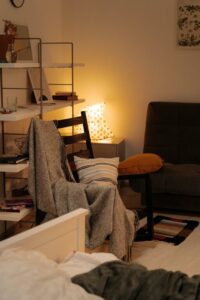

Creating a dedicated home office space that is both clutter-free and productive can significantly improve your workday experience. Whether you work from home full-time or occasionally, a well-organized environment helps reduce distractions and promotes focus. This guide offers practical tips to help you design and maintain an efficient home office that supports your productivity.
Why an Organized Home Office Matters
A cluttered desk and disorganized space can lead to wasted time searching for items, increased stress, and lower work efficiency. On the other hand, a tidy and thoughtfully arranged office encourages better concentration, reduces anxiety, and helps establish a clear boundary between work and personal life.
Steps to Organize Your Home Office
1. Choose the Right Location
Start by selecting a spot in your home that allows you to work comfortably. Ideally, pick a quiet area with good natural light. If space is limited, consider using a corner or part of a room that can be dedicated solely to office use.
2. Declutter Regularly
Decluttering is the foundation of an organized workspace. Sort through your office items and remove anything that is not essential or frequently used.
– Throw away or recycle old papers.
– Donate unused office supplies.
– Digitize documents to reduce paper clutter.
– Keep only necessary items within arm’s reach.
3. Invest in Functional Storage Solutions
Proper storage keeps your workspace tidy and helps you find things quickly.
– Use shelves for books, reference materials, and decor.
– Drawer organizers prevent small items from mixing.
– File cabinets or boxes can store documents.
– Desk organizers hold pens, sticky notes, and gadgets.
4. Optimize Your Desk Setup
Your desk is the center of your home office. Keeping it organized improves workflow and reduces distractions.
– Keep only daily essentials on the desktop.
– Use cable management tools to avoid tangled cords.
– Arrange monitors and keyboards ergonomically.
– Add personal touches like plants or photos for comfort.
5. Create Zones for Different Tasks
If your work involves multiple activities, organizing your space into zones can help.
– A computer zone for digital work.
– A reading or reference zone with books and materials.
– A writing or creative space with tools and supplies.
– Designating zones reduces task-switching distractions.
6. Maintain Good Lighting
Proper lighting reduces eye strain and helps maintain energy levels.
– Position your desk near a window when possible.
– Use adjustable task lighting to focus on your work area.
– Avoid harsh glare by using blinds or curtains.
7. Develop Daily Cleanup Habits
Spend a few minutes at the end of each day tidying your workspace.
– Put away documents and supplies.
– Clear your desk of any unnecessary items.
– Plan your tasks for the next day to reduce morning stress.
8. Minimize Digital Clutter
Organize your computer files and emails to complement your physical organization.
– Create clear folder structures.
– Delete or archive old files regularly.
– Use productivity apps to manage tasks and notes.
Bonus Tips for a Comfortable Workspace
– Choose an ergonomic chair to support posture.
– Use noise-cancelling headphones if you work in a noisy environment.
– Keep a water bottle nearby to stay hydrated.
– Incorporate plants to improve air quality and mood.
Conclusion
Setting up a clutter-free and productive home office takes intentional effort, but the benefits are well worth it. By selecting the right location, investing in storage, and maintaining good habits, you can create a space that supports focus and creativity. Remember, the key is consistency—regularly review and adjust your setup to fit your changing needs.
With these tips, your home office can become a place where work feels manageable, organized, and even enjoyable.